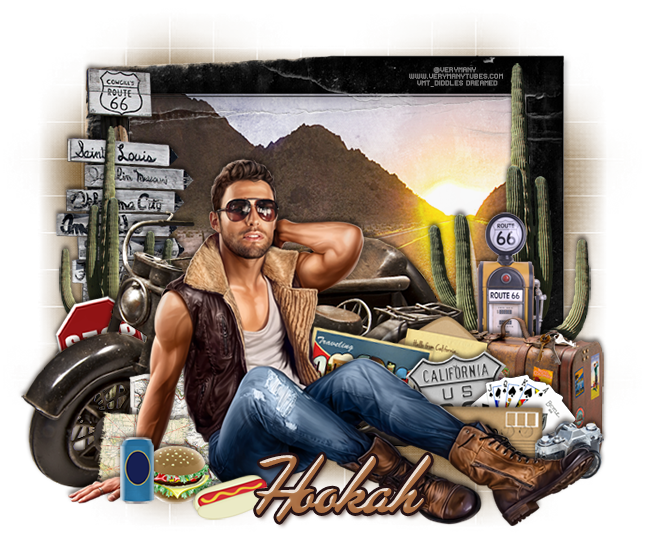
PTU tutorial using On The Road Again by Jackie's Jewels!
This kit has everything you need to make that summer road trip tag and escape the winter blues! It has elements from places across America and everything you need for your travels.
You can purchase it at the Pimpin' PSPers Warehouse!
**This tutorial was written by me and any resemblance is purely coincidental. It is written for those with a working knowledge of Photoshop.**
Supplies
Scrap Kit
Tube
*You must obtain a license to use this tube.*
Elements
burger
cactus2
camera
drink
envelope1
envelope2
frame5
gaspump
hotdog
keys
map1
map2
old bike
poker hand
postcard
sign1
sign2
stop sign button
suitcase
Papers
2
4
Let's start!
Open a new canvas, size 650x650.
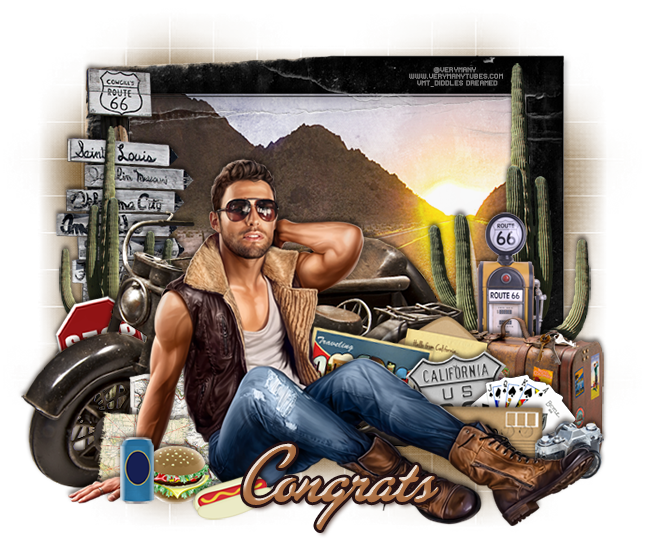
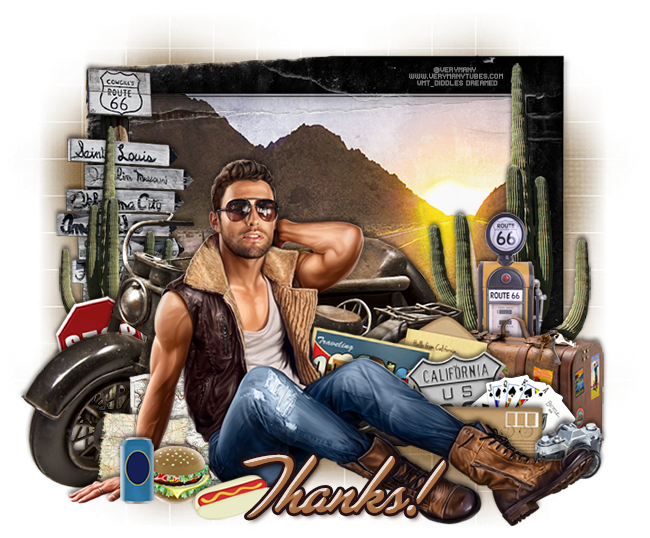
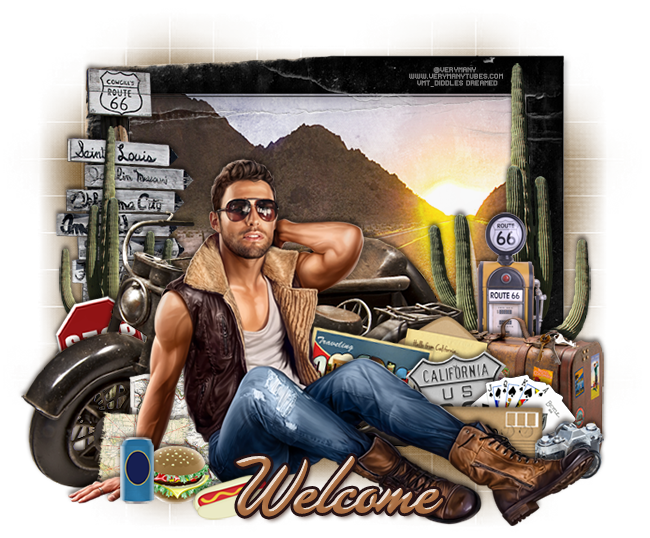
Place frame 5 on the canvas and rotate to the rip is at the bottom. Resize and add a drop shadow.
Place paper 2 behind the frame and resize. Erase anything outside the frame.
Place the bike in front of the frame on the left. Resize and add a drop shadow.
Place the tub in front of the frame and to the right of the bike and flip horizontally. Resize and add a drop shadow.
Behind the bike on the left, place the cactus. Resize and add a drop shadow.
Behind the cactus, place sign1. Resize and add a drop shadow.
Between the bike and cactus, place the stop sign button. Resize and add a drop shadow.
Between the bike and the tube, place map1 and map2. Resize and add a drop shadow.
In front of the tube, place the drink, hamburger, and hot dog. Resize and add a drop shadow.
On the right side of the frame behind the frame, place the cactus. Resize and add a drop shadow.
In front of the cactus, place the gas pump. Resize and add a drop shadow.
In front of the gas pump and bike, place the suitcase. Resize and add a drop shadow.
On top of the suitcase, place the keys. xResize and add a drop shadow.
In front of the suitcase, place the camera by the tube's foot. Resize and add a drop shadow.
To the left of the camera, place envelope1. Resize and add a drop shadow.
Behind the camera and envelope, place the poker hand. Resize and add a drop shadow.
Behind the poker hand, place sign2. Resize and add a drop shadow.
Behind sign2, place the postcard behind the tube. Resize and add a drop shadow.
Behind the postcard, place envelope2.


Place frame 5 on the canvas and rotate to the rip is at the bottom. Resize and add a drop shadow.
Place paper 2 behind the frame and resize. Erase anything outside the frame.
Place the bike in front of the frame on the left. Resize and add a drop shadow.
Place the tub in front of the frame and to the right of the bike and flip horizontally. Resize and add a drop shadow.
Behind the bike on the left, place the cactus. Resize and add a drop shadow.
Behind the cactus, place sign1. Resize and add a drop shadow.
Between the bike and cactus, place the stop sign button. Resize and add a drop shadow.
Between the bike and the tube, place map1 and map2. Resize and add a drop shadow.
In front of the tube, place the drink, hamburger, and hot dog. Resize and add a drop shadow.
On the right side of the frame behind the frame, place the cactus. Resize and add a drop shadow.
In front of the cactus, place the gas pump. Resize and add a drop shadow.
In front of the gas pump and bike, place the suitcase. Resize and add a drop shadow.
On top of the suitcase, place the keys. xResize and add a drop shadow.
In front of the suitcase, place the camera by the tube's foot. Resize and add a drop shadow.
To the left of the camera, place envelope1. Resize and add a drop shadow.
Behind the camera and envelope, place the poker hand. Resize and add a drop shadow.
Behind the poker hand, place sign2. Resize and add a drop shadow.
Behind sign2, place the postcard behind the tube. Resize and add a drop shadow.
Behind the postcard, place envelope2.
Add your tagger mark and copyright information.
Crop off any blank canvas.
Save as a .psd & .png.
Free snags!
Thank you for coming by!