Showing posts with label Wicked Creationz. Show all posts

Monday, June 2, 2014

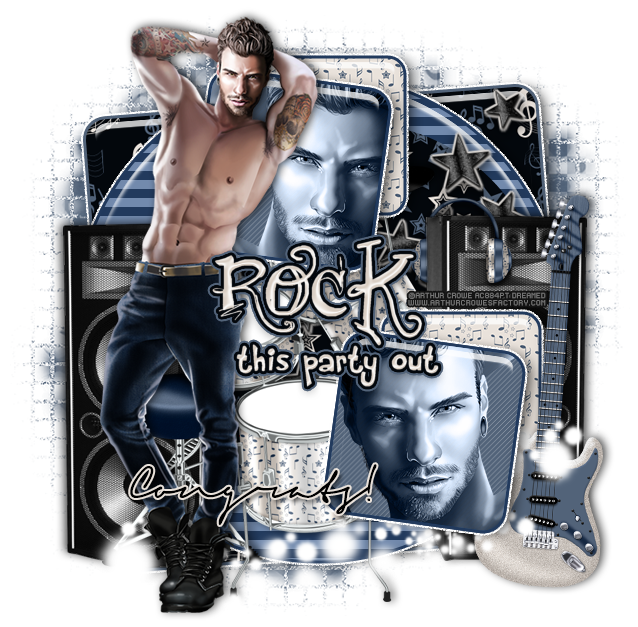
PTU Tutorial - Rock n Roll by Arthur Crowe!

**This tutorial was written by me and any resemblance is purely coincidental. It is written for those with a working knowledge of Photoshop.**

Scrap Kit

Template

Tube
*You must obtain a license to use this tube.*

Elements
2
3
4
14
21
30

Papers
1
3
9

Let's start!
Open a new canvas, size 650x650.
Open the template and remove layer 8 and the cr.
Move the rest on to the canvas and resize as necessary.
Place the tube in front of the template and a little to the left. Resize and add a drop shadow.
Place paper 3 over layer 3 and clip to the layer. Add a stroke, size 3, in #526379. Add a white outer glow in white with noise, bevel, and drop shadow.
Change the color of layer 2 using the hue/saturation. Select blues and then use the top bar to get a blue close to the blue in the paper. Change the saturation and lightness as well. Copy the layer style from layer 1.
Place paper 9 over layer 3 and clip it.
Place paper 1 over layers 4 and 5. Add a stroke, size 3, in #223a5d. Add a bevel, drop shadow, and outer glow in white with noise.
Select the pixels of 6 and 7 and fill with #526379.
Place a close up of the tube over layer 6 and clip to the square. Change the tube to luminosity.
Duplicate the tube and flip it horizontally. Move it to layer 7 and clip.
Between layers 5 and 6 place 4. Resize and add a drop shadow.
Behind layer 5 and the guitar place 14. Resize and add a drop shadow.
On top of the speaker place 2. Resize and add a drop shadow. Erase part of the headphones so it looks like they are hanging on the side.
On top of the speaker just placed on the right and behind layers 4-7 place 3 and flip horizontally. Resize and add a drop shadow.
Duplicate the speaker from before and flip horizontally. Move it behind the drums and tube on the left.
On top of layer 3 place 21 so they are pointing toward the upper right hand corner of the tag and resize.
Select the pixels of the stars and expand by 2. Add a layer below and fill with #d9d5d1. Add a drop shadow.
Along the bottom of the tag behind the tube and on top of the guitar place 30. Resize and erase anything hanging too far off the tag.
For the word art:
Change the main color to #e8e1da.
Add a stroke, size 3, #03070c.
Add an outer glow, size 5, #526379.
Add a drop shadow.
Add a bevel changing the shadow mode to #e9e2db and the bevel to ring.
Add your tagger mark and copyright information.
Crop off any extra canvas.
Save as a .psd & .png.

Free snags!
Thank you for coming by!
post signature

Tuesday, May 27, 2014

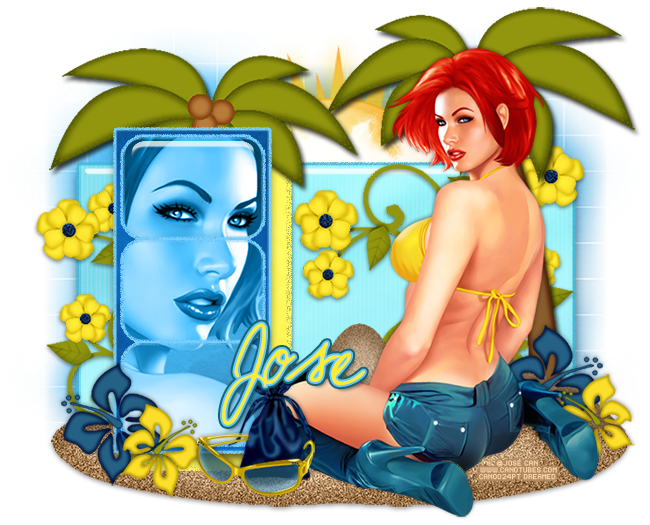
PTU Tutorial - Lori by José Cano!

**Coming Soon!**
**This tutorial was written by me and any resemblance is purely coincidental. It is written for those with a working knowledge of Photoshop.**
Scrap Kit

Template

Tube
*You must obtain a license to use this tube.*
Elements
2
8
13
17
18
19
20
21
25
26
Papers
4
5
7
8
Let's start!
Open a new canvas, size 650x650.
Open the template and move it on to the canvas. Resize as necessary.
Remove layers 2, 3, and cr.
Place paper 4 over layer 1 and create a clipping mask. Add noise in #49bbdb, bevel, and a drop shadow.
Place paper 7 over layer 4 and create a clipping mask. Add noise in #fff960 and a drop shadow.
Place paper 8 over layer 5 and create a clipping mask. Add noise in #78d0ff and a drop shadow.
Place paper 5 over layers 6, 7, and 8 and create a clipping mask. Add noise in #78d0ff to each layer.
In front of the template and to the right place the tube. Resize and add a drop shadow.
Underneath the tube and template place 20. Duplicate the sand to cover the width of the template. Merge the layers together and add a light drop shadow.
Behind layer 5 (and tube) place 21. Resize and add a drop shadow.
Between layers 4 and 5 place 19. Resize and add a drop shadow.
Duplicate the palm tree and flip horizontally. Move it to the right behind the tube and sands on top of layer 1.
Behind the palm tree on the right place 13. Resize and add a drop shadow.
Duplicate 13 and flip it horizontally. Move it to the left side behind layer 4 so only a little sticks out to the left. Erase anything below or sticking out the right side.
Behind the template and between the palm trees place 25 and resize.
On top of the sun place 26.
On top of layers 6, 7, and 8 place a close up of the tube and create a clipping mask. Change each tube close up to luminosity.
In front of the template and on the sand place 18 on the left. Resize and add a drop shadow.
Place 17 on top of 18, resize, and flip it horizontally. Add a drop shadow.
Duplicate 17 and 18 then move together to the right of the tube and behind her.
Between the flowers and tube on the right place 8. Resize and add a drop shadow.
In front of the bag place 2. Resize and add a drop shadow.
Erase the arm of the sunglasses on the left so it appears to wrap around the bag.
Add your tagger mark and copyright information.
Crop off any extra canvas.
Save as a .psd & .png.

Free snags!
Thank you for coming by!
post signature

Monday, February 3, 2014

PTU Tutorial - Mercy by Roman Zaric!

PTU tutorial using Mercy by Roman Zaric! 
Matching kit made by Wicked Creationz!
You can purchase them both here!
**This tutorial was written by me and any resemblance is purely coincidental. It is written for those with a working knowledge of Photoshop.**

Supplies
Mask

Scrap Kit

Tube
*You must obtain a license to use this tube.*

Elements
2
8
10
12
15
16
23
26
28
Papers
3
Let's start!
Open a new canvas, size 700x650.
Place ele28 on the canvas. Resize & add a drop shadow.
Place the tube in front of the frame. Resize & add a drop shadow.
Make a new layer behind frame and fill with white. Add a blank layer below the white layer and leave it be. Add a gradient overlay to the white layer using #cd92f5 & #edd4a1. Now merge down so you have your gradient paper. Erase anything outside the frame. Duplicate the paper.
Take a close up of the tube and place it between the two papers behind the frame. Use her as a close up. Change the close up to Screen.
Behind the tube's leg, place ele26. Resize & add a drop shadow.
In front of ele26 and behind her foot, place ele23. Resize & add a drop shadow.
Behind ele26, place ele8 on top of the frame. Resize & add a drop shadow.
In front of the tube, place ele12. Resize & add a drop shadow.
Behind ele12 and little to the right, place ele16. Resize & add a drop shadow.
To the left and behind ele12, place ele15. Resize & add a drop shadow.
Behind ele15 and to the left of it, place ele2. Resize & add a drop shadow.
Behind ele12, place ele13. Resize & add a drop shadow.
Place ele10 above the tube's layer, flip horizontally, and resize.

 Name
Main color is #4b2673.
Add a stroke, size 3, in #f9ecc4.
Add a bevel and a drop shadow.

Mask
Open a new canvas, size 600x600.
Place paper 3 on top of the canvas.
Open the mask and move on top of the paper layer.
Remove the white background and place the mask behind the tag. 
Make it evenly stretched on all sides.

Add your tagger mark and copyright information.
Crop off any extra canvas.
Save as a .psd & .png.

Free snags!
Thank you for coming by!
post signature

Monday, December 30, 2013

PTU Tutorial - Beauty In Black

*Coming Soon!*
PTU tutorial using Beauty In Black by Arthur Crowe!
Matching kit made by Wicked Creationz!
You can purchase them both here!
**This tutorial was written by me and any resemblance is purely coincidental. It is written for those with a working knowledge of Photoshop.**

Supplies
Font

Mask

Scrap Kit

Tube
*You must obtain a license to use this tube.*

Elements
4
20
25
29
Papers
4
6
Let's start!
Open a new canvas, size 650x650.
Place ele29 on the canvas and resize. Duplicate the frame again and move it lower and to the right of the first one. Add a drop shadow to both.
Place paper 6 behind the frames and erase anything that hangs outside the frames.
Place the full size tube in front of the middle of the frames. Resize and add a drop shadow.
Take the close up of the tube and place it over the paper in the frame on the lower right. Change to screen.
Duplicate the close up and flip horizontally. Move over to the frame on the left.
In front of the frame along the bottom, place ele20. Resize and add a drop shadow.
Duplicate the flower and flip horizontally. Move it to the right of the first flower.
Duplicate the flowers and move them to the frame on the right.
Behind the tube and in the middle of the frames, place ele25. Resize and add a drop shadow.
Place ele4 over the frame on the right. Resize and add a drop shadow.
Duplicate the butterfly and make it smaller than the first. Place it higher than the first.

 Name
Main color is black. 
Add a bevel and a drop shadow.
Select the pixels of the name and expand by 4.
Add a new layer below the name. Fill with #dc57a3. 
Add a bevel and a drop shadow.

Mask
Open a new canvas, size 600x600.
Open paper 4 and resize to 600x600. Place on top of the canvas.
Open the mask and move on top of the paper.
Remove the white background and place the mask behind the tag. 
Make it evenly stretched on all sides.

Add your tagger mark and copyright information.
Crop off any extra canvas.
Save as a .psd & .png.

Free snags!
Thank you for coming by!
post signature

Monday, December 2, 2013

PTU Tutorial - 2013 Sexy N Wicked by Ismael Rac!

PTU tutorial using 2013 Sexy N Wicked by Ismael Rac!
Matching kit made by Wicked Creationz!
You can purchase them both here!
**This tutorial was written by me and any resemblance is purely coincidental. It is written for those with a working knowledge of Photoshop.**

Supplies
Font

Scrap Kit

Template

Tube
*You must obtain a license to use this tube.*

Elements
1
8
11
14
16
21
Papers
3
10

Let's start!
Open a new canvas, size 700x650.
Open the template and select layers 3, 4, 13, & 14.
Move the selected layers on to the canvas.
Place paper 3 over the square and create a clipping mask.
Select the pixels of the square and expands by 3.
Add a new layer below the square and fill with # and add noise.
Add a a drop shadow to the glitter layer.
Now on layer 4, add a gradient overlay using #c00000 & #60a220.
Place the tube in front. Resize and add a drop shadow.
Behind the tube on the left, place ele1. Resize and add a drop shadow.
In front of the candy canes, place ele11. Resize and add a drop shadow.
On the right side behind the tube, place ele16. Resize and add a drop shadow.
On top of the tree and to the right a little place ele8. Resize and add a drop shadow.
Behind the tree and candy canes, place ele14. Resize, add an outer glow, and add a drop shadow.
Behind the tube at the bottom of the square, place ele21. Resize and add a drop shadow.
For the wordart, make them both white. Add a stroke, size 3, in #df1717.
Add a drop shadow and a bevel.Change to outer bevel and make the size 3.
Change the shadow mode to #214201.

 Name
Main color is #ffb41f. 
Add a white stoke, size 3.
Add a drop shadow.

Mask
Open a new canvas, size 600x600.
Open paper 10 and resize to 600x600. Place on top of the canvas.
Open the mask and move on top of the paper.
Remove the white background and place the mask behind the tag. 
Make it evenly stretched on all sides.

Add your tagger mark and copyright information.
Crop off any extra canvas.
Save as a .psd & .png.

Free snags!

Thank you for stopping by!

post signature

Monday, November 18, 2013

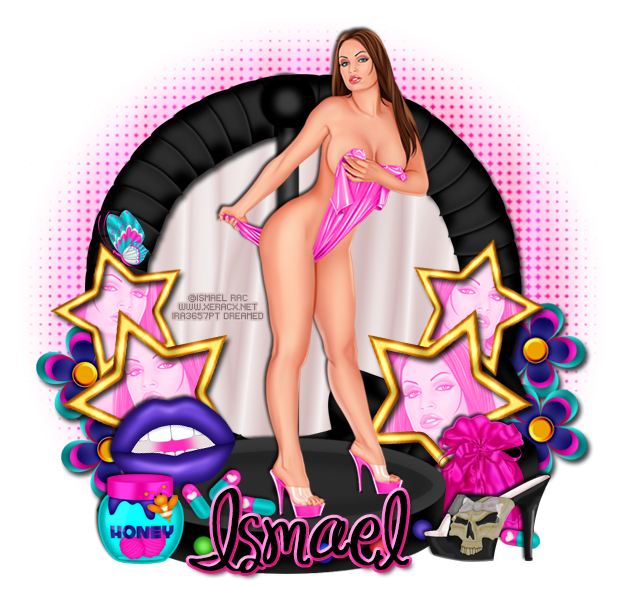
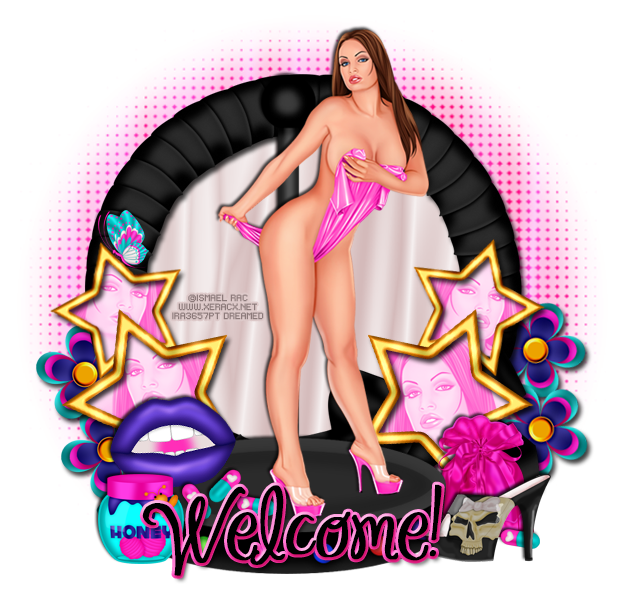
PTU Tutorial - 2013 Undress Me by Ismael Rac!

*Coming Soon!*
PTU tutorial using 2013 Undress Me by Ismael Rac!
Matching kit made by Wicked Creationz!
You can purchase them both here!
**This tutorial was written by me and any resemblance is purely coincidental. It is written for those with a working knowledge of Photoshop.**

Supplies
Font

Mask
(Masks made by me.)

Scrap Kit

Tube
*You must obtain a license to use this tube.*

Elements
6
12
14
18
20
22
25
27
28
29
Papers
4
5

Let's start!
Open a new canvas, size 650x650.
Place ele 29 on the canvas. Resize and add a drop shadow.
Place paper 5 behind the frame. Resize and erase anything sticking outside the frame.
Place ele 28 in front of the frame. Resize and add a drop shadow.
Place the tube on top of ele 28. Resize and add a drop shadow.
To the right of ele 28, place ele 12. Resize and add a drop shadow.
In front of the pink bag, place ele 6 and flip horizontally. Resize and add a drop shadow.
Place ele 25 in front of ele 28 on the left side. Resize and add a drop shadow.
On top of ele 28 and behind the honey jar, place ele 18. Resize and add a drop shadow.
Place ele 22 on top on ele 28 and in front of the lips. Resize and add a drop shadow.
Take another copy of the pills and place one between the high heel and pink bag.
Take ele 20 and place two on each side of the frame. Erase the stick if it hangs out too far. Resize and add a drop shadow to each one.
Behind the stars, add a layer and fill with black. Erase anything outside the stars.
Take a close up of the tube and place one in each star, flipping horizontally. Create a clipping mask for each one and change to luminosity. Duplicate the black layer behind the stars and move on top of the tubes close up. Create a clipping mask.
Select the pixels of the top black layer and fill with #ff57c8. Change to Screen.
Set ele 14 on top of the star on the left. Resize and add a drop shadow.
Take ele 27 and place it behind the stars on the left. Duplicate and place on below the first. Resize and add a drop shadow.
Duplicate the two flowers and place them on the right side in the same way.

 Name
Main color is black. 
Add a stroke, size 3, in #ff55c6.
Add a Stroke Emboss bevel. 
Change the Shadow Mode to #c90170.

Mask
Open a new canvas, size 600x600.
Open paper 4 and resize to 600x600. Place on top of the canvas.
Open the mask and move on top of the paper.
Remove the white background and place the mask behind the tag. 
Make it evenly stretched on all sides.

Add your tagger mark and copyright information.
Crop off any extra canvas.
Save as a .psd & .png.

Free snags!

post signature

Sunday, July 28, 2013

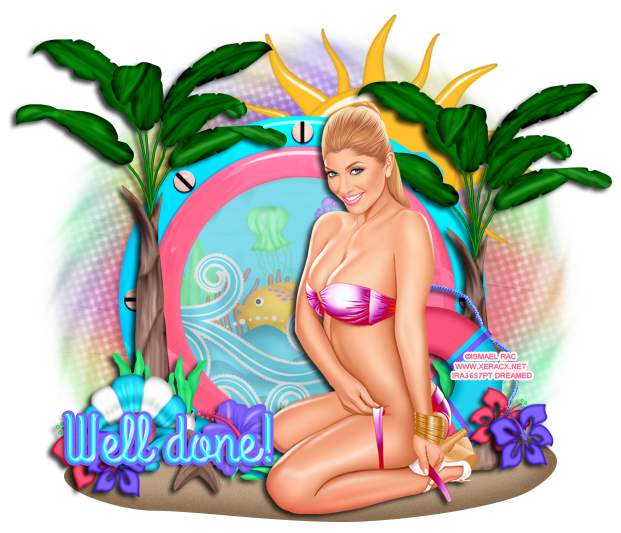
*Coming Soon!* Tropical Beauty by Ismael Rac!

*Coming Soon!*
PTU tutorial with Tropical Beauty by Ismael Rac!
You can purchase her HERE!
**This tutorial was written by me and any resemblance is purely coincidental. It is written for those with a working knowledge of Photoshop.**

Supplies
Font

Mask

Scrap Kit

Tube
Coming Soon!
*You must obtain a license to use this tube.*

Elements
2
5
7
8
9
13
14
15
16
18
19
21
22
24
25
30

Papers
8
11

Let's start!
Open a new canvas, size 650x650.
Move ele16 on to the canvas. Add a light drop shadow.
Move PP11 behind ele16 and erase anything outside it.
Below ele16, place ele22. Flip horizontally.

Move the tube in front of ele16 and set her on the sand. Resize & add a drop shadow.
Behind ele16 and on top of the the paper, place ele24. Resize a little and erase anything outside ele16.
Behind the waves, place ele19 and resize. To the left of ele19, place ele7 and resize. 
On top of ele19, place ele14 and resize.
Behind the tube, place ele8 and resize small.
In the open space, place ele2 and resize.

On top of ele16, place ele25 on the left side. Resize & add a drop shadow. Make it a little taller than ele16. Duplicate the tree and move it on the right side and make it lower than the first.

Place ele15 behind the tube on the right. Resize & add a drop shadow.
Take ele18 & ele21 and place them on top of ele15. First place ele21on the lifesaver, resize small, and flip horizontally. Then take ele18, flip horizontally, and place it on top of ele21. Make it a little bigger than the pink flower.

Take ele7 and place it in front of the tree on the right and behind the life saver. Have just a little peek out in the opening. Resize & add a drop shadow.
Duplicate ele7 and place it on top of the tree on the left. Place another copy right next to it.
In front of the ele7s, place ele13. Resize & add a drop shadow.
In front of ele13, place ele18 and ele21 like before.

Between the tube and ele13, place ele30. Resize & add a drop shadow.
In front of ele30 and ele13, place ele9 and flip horizontally. Resize & add a drop shadow.
Move ele5 behind everything and resize a little.

Name:
Main color is #00e4ff.
Add a stroke of size 3 and use #7f62ff.
Add a drop shadow.
Bevel: Change to Cone & change the shadow to white.

Mask
Open a new canvas, size 600x600.
Open PP8 and resize to 600x600. and move on top of the canvas.
Open the mask, make sure it's 600x600, and move on top of the paper.
Remove the white background and place the mask behind the tag. Make it evenly stretched on all sides.

Add your tagger mark and copyright information.
Crop off any extra canvas.
Save as a .psd & .png.
We're done! :)

Here are a few Tropical Beauty snags!

Thanks for coming by!

Thursday, July 18, 2013

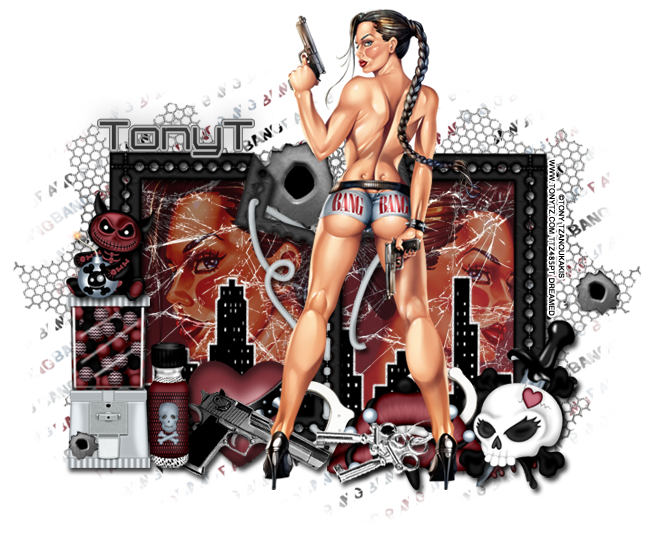
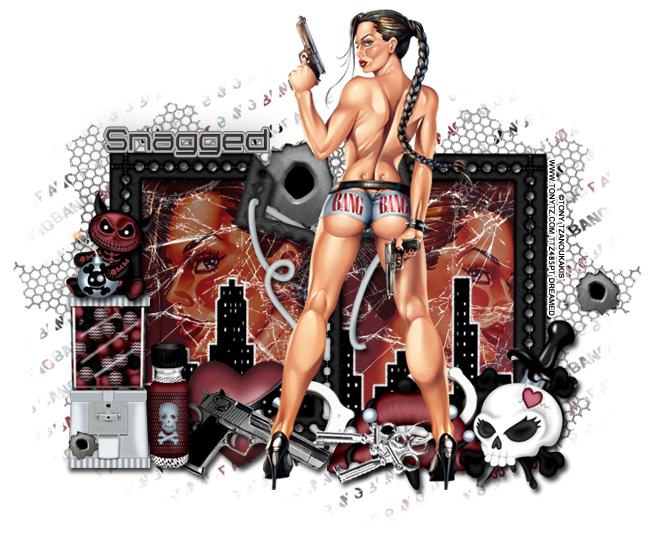
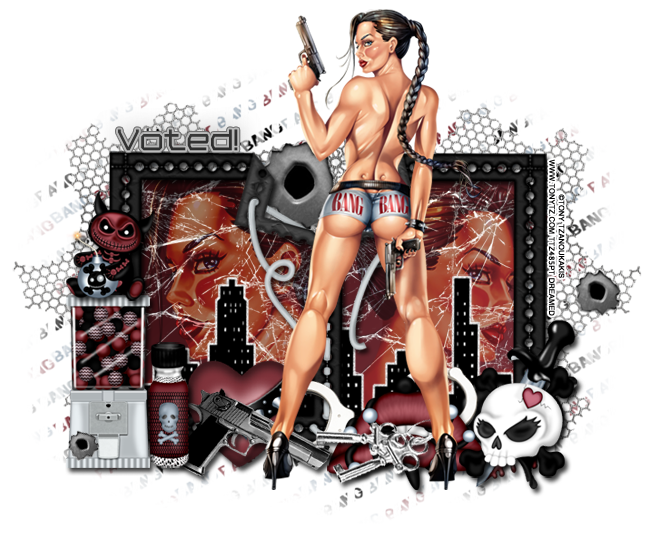
*Coming Soon!* Bang Bang by Tony T!

*Coming Soon!* Bang Bang by Tony T PTU tutorial!
With the matching kit by Wicked Creationz.
**This tutorial was written by me and any resemblance is purely coincidental. It is written for those with a working knowledge of Photoshop.**

Supplies

Font
from FontSpace

Mask
from Scrap It Studio

Scrap Kit
by Wicked Creationz

Tube
*You must obtain a license to use this tube.*

Elements
1
2
5
8
12
14
16
17
19
20
21
23
24
25
29

Papers
8
11

Let's begin :)
Open a new canvas, size 650x650.
Move ele29 on to the canvas. Resize & add a drop shadow.

Move pp11 behind the frame and erase anything sticking out including the dots around the frame.

Place the tube, full size, behind the frame on the left and create a clipping mask to the paper. Change the tube to Hard Light and drop the fill to 50%. Duplicate the tube close up and flip horizontally. Move to the right side of the frame and create a clipping mask.
Now take the full size of the tube and move her in front of the frame. Resize her so her chest is taller than the frame. Add a drop shadow.

Place ele20 between the frame and the tubes. Resize and flip horizontally. Add a drop shadow.
Behind ele20 and on top of the tubes, place ele25. Resize a little. Have one copy on each frame.

In front of the frame, place ele8 on the left. Resize & add a drop shadow.
On top of ele8, place ele12. Resize & add a drop shadow.

Next to ele8, place 5. Resize & add a drop shadow.
Behind ele5, place ele16. Resize & add a drop shadow.
On top of ele16, place ele23. Resize & add a drop shadow. Move it behind ele5 just a little and also behind the tube.
On the right side of the frame, place ele1. Resize & add a drop shadow.
Behind ele1, place ele2. Flip horizontally and resize. Add a drop shadow.
To the left and behind the skull, place ele14. Resize & add a drop shadow.
Behind the lips and heart, place ele24. Flip vertically then resize & add a drop shadow.
On top of the lips place ele17. Have them slightly horizontally and point to the left. Resize & add a drop shadow. Make sure the tube is the top layer.

Behind the frame, place ele19. Resize a little and move it to the left side. Duplicate it and move it to the other side. 

Move ele21 behind the frame where it opens in the middle. Resize a little.
Take a copy of ele21 and resize smaller. Move on to ele8.
Move another copy of ele21 and make it smaller than the first copy, but bigger than the second. Move it over to the right of the mask on the wire. 

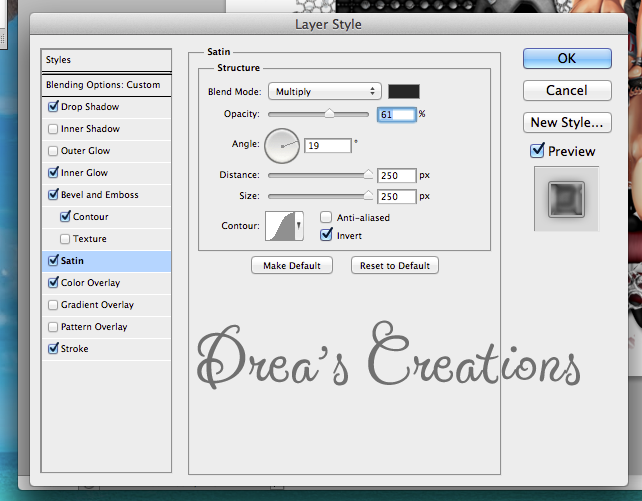
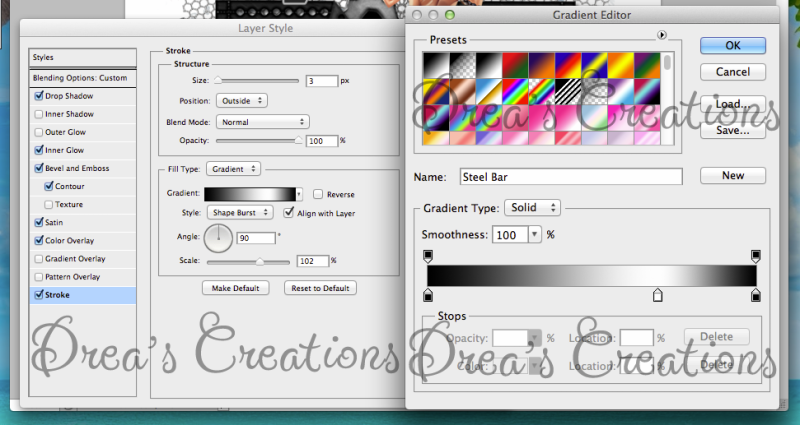
 Name 
Main color is black.
Add a drop shadow.
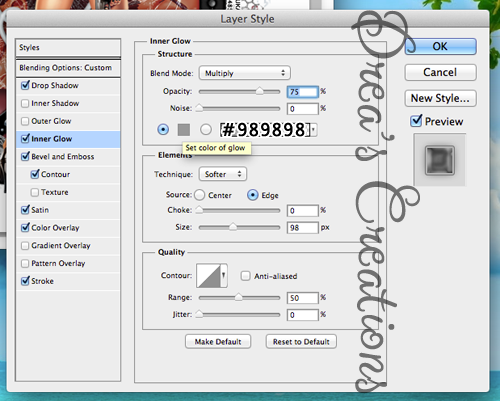
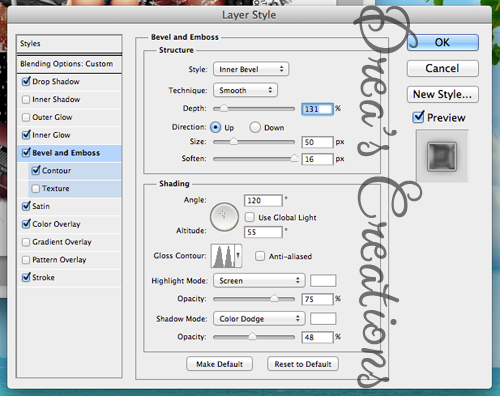
Change the contour to Gaussian and change the range to 23%.
Change the color overlay to #b7b7b7 and the opacity to 53%.
Follow the images below to add the rest of the settings.


Mask
Open a new canvas, size 600x600.
Open P8 and resize to 600x600. Place on top of the canvas.
Open SIS_MASK17 and move on top of the paper.
Remove the white background and place the mask behind the tag.

Add your tagger mark and copyright information.
Crop off any extra canvas.
Save as a .psd & .png.

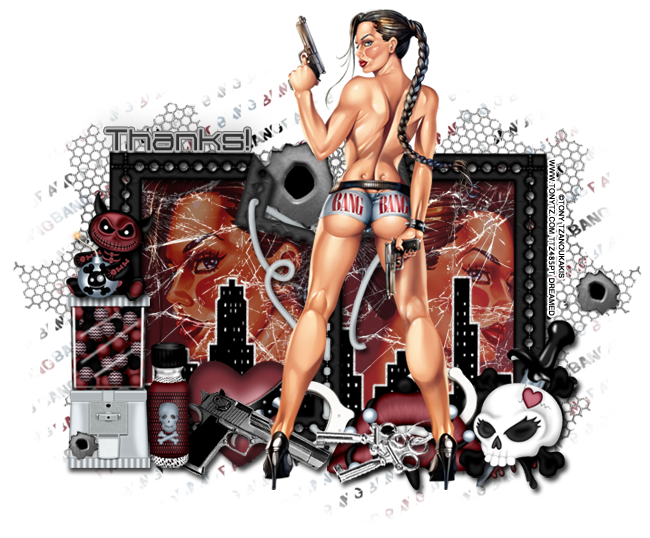
Free Snags!


Thanks for coming by!
New Name, New Blog!
Hello friends! I have decided to change my designer name to reflect that I make kits more than I do CT work. I made a new blog so the old links for this blog will remain active for future visits. Please visit me at Drea's Designs ! I'll see you there!
Related Posts Plugin for WordPress, Blogger...